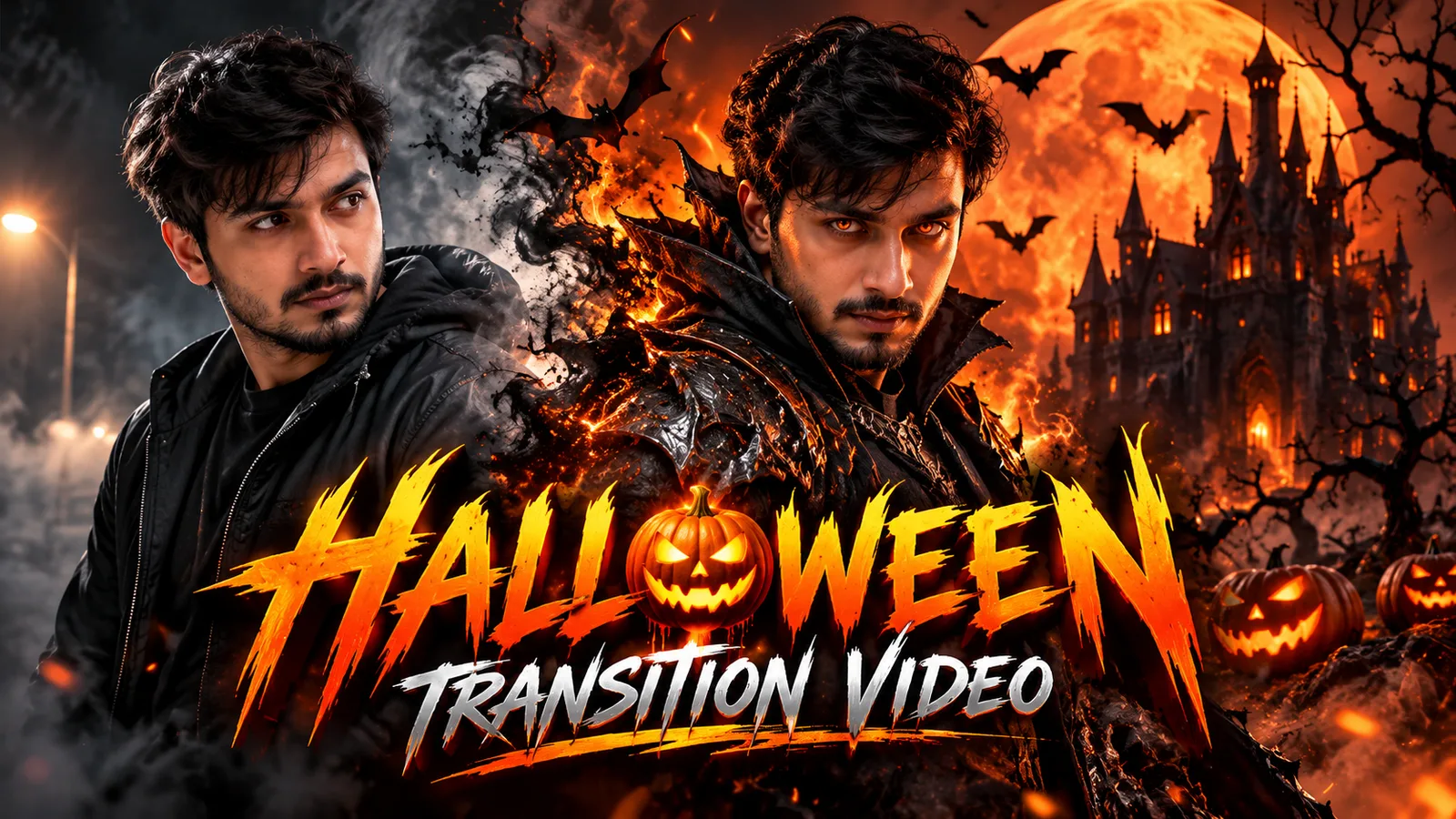
Use Higgsfield for best output or you can use Google flow as well.
Upload your charactersheet &
Upload your charactersheet &
use prompt given below
HALLOWEEN CINEMATIC TRANSFORMATION — IMAGE-TO-VIDEO PROMPT
FORMAT: 9:16 vertical Instagram Reel
DURATION: 12 seconds
STYLE: Ultra-realistic Hollywood cinematic horror, dark fantasy, premium VFX
REFERENCE IMAGE INSTRUCTIONS — CRITICAL
Use the uploaded character sheet ONLY as the facial identity reference for the main character.
Preserve my exact facial identity throughout the entire video: face shape, eyes, eyebrows, nose, lips, jawline, skin tone, facial hair (if present), hairline, and natural facial proportions.
The final character must look unmistakably like the same real person shown in my reference sheet. Do not beautify, redesign, stylize, age, or reinterpret my face.
The character sheet is NOT a scene reference, costume reference, pose reference, or background reference. Generate all environments, camera angles, lighting, costumes, and visual effects independently.
Maintain facial consistency across every shot, including close-ups, side angles, and dramatic lighting. No face morphing, identity drift, or artificial facial replacement.
SHOT 1 — THE DARK ARRIVAL (0–3 SECONDS)
Open on a deserted road surrounded by a dark, foggy forest at twilight. I stand alone in the center of the road, facing away from the camera.
I slowly turn my head toward the camera, revealing my exact face from the uploaded character sheet. A distant streetlight flickers behind me. My shadow stretches unnaturally across the road.
The camera slowly dollies forward. Cold mist drifts around my feet, with subtle wind moving my hair and clothes.
Cinematography: realistic medium shot, slow tracking movement, desaturated dark tones, natural skin texture, atmospheric depth.
SHOT 2 — THE SUPERNATURAL TRIGGER (3–5 SECONDS)
The camera rapidly pushes toward my face.
I look directly into the lens with a serious, intimidating expression. My eyes gradually develop a subtle molten-orange supernatural glow, while preserving their original shape and structure.
Black smoke begins swirling around my shoulders. Tiny orange embers float past the lens. The surrounding forest appears to freeze for a brief moment.
On the musical beat, the screen is swallowed by a dense burst of black smoke and glowing orange particles.
Use this smoke burst to conceal the transition into the next shot.
SHOT 3 — THE HALLOWEEN TRANSFORMATION (5–8 SECONDS)
As the smoke expands across the entire frame, transform my ordinary appearance into a terrifying, premium dark-fantasy Halloween character.
Create an original costume from scratch: a fitted black gothic outfit with layered dark armor, intricate metallic textures, subtle molten-orange glowing cracks, a dramatic high collar, and drifting supernatural embers.
Do not cover or redesign my face. Keep my facial identity fully recognizable. No mask, no helmet, and no face-obscuring accessories.
The camera performs a fast, controlled orbit around me as the smoke clears. My transformed outfit is revealed progressively through realistic lighting, particles, and shadows.
The transformation must feel like a seamless practical Hollywood visual effect, not a cartoon morph.
SHOT 4 — THE EPIC REVEAL (8–11 SECONDS)
Reveal a colossal gothic castle in the background, surrounded by twisted trees, rolling ground fog, and a gigantic blood-orange moon.
I stand in the foreground wearing my transformed costume. The camera slowly circles around me and moves into a dramatic low-angle hero shot.
Bats fly across the moon. Embers rise from the ground. The orange moonlight creates a striking rim light around my silhouette.
I slowly lift my chin and stare directly into the camera with a confident, dark, commanding expression.
Maintain my exact facial identity even in this dramatic low-angle shot.
SHOT 5 — FINAL FRAME (11–12 SECONDS)
The camera settles into a perfectly composed cinematic portrait.
I remain completely still while smoke drifts behind me and the orange embers slowly fade.
Leave clean negative space in the upper portion of the frame for the title:
“THIS HALLOWEEN, BECOME THE NIGHTMARE.”
Add the title during editing for perfectly clean typography.
CINEMATIC QUALITY
Ultra-photorealistic Hollywood horror cinematography, physically realistic smoke, volumetric fog, dramatic anamorphic lens aesthetics, high dynamic range, realistic skin pores, deep blacks, burnt-orange highlights, subtle film grain, natural motion blur, premium dark-fantasy production design.
Color palette: pure black, charcoal, burnt orange, molten amber, and blood-orange moonlight.
AUDIO AND TRANSITION
Start with distant wind and a low heartbeat. Build tension with a dark cinematic drone. Synchronize the transformation with a powerful bass drop at 5 seconds. Add a deep cinematic impact during the final reveal, followed by a sudden silence.
STRICT NEGATIVE INSTRUCTIONS
Do not change my face or identity.
Do not generate a different person.
Do not use the character sheet as a full-scene reference.
Do not copy the character sheet's background or poses.
Do not add a mask, helmet, or face paint that changes my appearance.
Do not introduce extra characters.
Do not create cartoon, anime, or video-game visuals.
Avoid facial distortion, flickering costumes, unnatural anatomy, excessive gore, random scene cuts, and inconsistent lighting.
The final result must look like a professionally filmed, photorealistic Halloween transformation starring the exact person in the uploaded character sheet.
OUTPUT: 12-second vertical 9:16 cinematic video optimized for Instagram Reels.